I, Joy Kirr, am a middle school teacher, author, and speaker. My 7th grade ELA (English Language Arts) classes are working to improve their lives through student-directed learning - without marks throughout the year. This is a log of my learning experiences... Want to have me speak with your staff or facilitate a workshop? Here is my PORTFOLIO.
Showing posts with label Video. Show all posts

Friday, May 29, 2020

Day 77 - Lesson Learned

Friday, May 29, 2020

It wasn't like any "last day" I've ever had at school. Well, yes, there was crying, but for different reasons... I think. Maybe it's the same reason... I cry when they're sad. They were definitely sad today.

My first class meeting that started at 11:00 had the fewest attendees. At the end, one quietly asked, "Mrs. Kirr, are we going to go back to school next year?"

I almost lost it right then. (I mean, how dramatic am I, right?!)

Instead, I calmly said, "I really don't know... Your parents got an email today saying that the district will be preparing for three different scenarios. All of us back at school, a mixture of a bit at school and a bit at home, or all at home." The looks on their faces. That's what broke the tears over the threshold. I let them know I've loved their tough questions, and I encouraged them to keep having the tough conversations.
     The movie for that class...

During my second class meeting at 11:30, one student was monopolizing the time. This student also asked / stated, "Doesn't this prove that school work can be done in two and a half hours?"

Since this one didn't do the work for the last three weeks, I responded with, "I think school WORK can be done in two and a half hours. How long did yours take YOU?" I just got a smirk in return.
     The movie for this class...

----------
My ramblings that led to my lesson for this crazy messed up 2019-2020 school year:

My last class is the one in which we had the deepest, most important (in my mind) discussions while IN school. We also got to go outside more than the other two classes! This was the class that I told this year they'd be my favorite. We have a teacher at our school - Mrs. Kathy Stutzman - who was my keyboarding teacher when I was in high school! Her class was in my room after my last block (I had 8 & 9, and she had 10th in that room). She'd seen my frustrations and how that class would get on my nerves. She knew I had fewer nerves to begin with at the end of the day, too. She told me a story. When she realized that her last class would be her hardest every year, she decided to tell them at the start of the next year that they were going to be her FAVORITE CLASS.

I had my doubts, but I knew it couldn't hurt. Also, I had reasons it would be the best class of my day... 1) It was at the end of the day, so I knew better how the lesson should go and what I can cut. 2) We could go outside on the days it was nice!  3) We'd usually have more time (due to what I could cut), so we could chat about what THEY wanted to chat about.

I think the prophecy came true, Mrs. Stutzman. You've taught me once again, for my 25th year of teaching. I will be forever grateful. I know more about the children in this class than any other, and I believe we ALL had a solid relationship. This class was brutally honest with each other, AND they had each others' backs. I believe each one of them grew socially. This was my biggest attendance today at noon.
     The movie for my favorite 8/9 block EVER...

The reason the tears came today... is because my seventh graders (now 8th) are still only twelve or thirteen. They have so much innocence, even through the veil of maturity. Many of them rely on a school building for their social life. They're going to miss each other more than anyone they've missed in a long time. I'm going to believe it was due to the expectations I set out for them from the start.

I'm aware that many schools, or better yet, the way we "do school," has to change. It has to become more relevant to the children. It has to stop being about memorization. It has to be a collaborative effort. I believe, as well, that it has to be together - in person. Our children of all ages need socialization. Our children of all ages need to ask and be able to discuss complicated issues. Our children of all ages need to share supplies. Our children of all ages need to move around. Zoom (or Google Meets or whatever you're using) cannot replace in-person communication. This will NOT be the way of the future.

Me trying a virtual background today...

Total side note: 
Maybe it's time for middle schools and high schools to start later in the day!!

Sunday, May 24, 2020

Days 71 & 72 - I Miss the Kids Like Crazy

Saturday and Sunday, May 23 & 24, 2020

I'm totally stealing the title "I Miss the Kids Like Crazy" from Dan Kerr... because it's true for so many educators.

This weekend I worked on end-of-year videos for my classes. I was so fortunate that I had so many saved with Animoto from my two-week parent updates, and I'm so fortunate I could work WeVideo thanks to help from our tech teachers. (And really, I'm glad my iMovie application was out-of-date so I couldn't use it!) I'm sooooo grateful I could look back on the photos and smile. I was able to quickly record an introduction - saying my final thank you to my students.

https://www.wevideo.com/

When I finished one, I decided to watch it (obviously) to see if it worked.

Tears came, and I let them.

I miss their laughter. I miss their silliness. I miss their drama. I miss their stories. I miss their questions. I miss their sighs. I miss their resistance. I miss their participation.

Watching one of the videos included IN the video of photos, I was missing what we might not have next school year (if rumors are true).

I'll be missing no masks, partitions, reading classroom books, over-the-shoulder feedback, book clubs, sharing supplies, the student station, even grammar on the board... the KIDS leading in many ways. I still want to be the facilitator. I need to find out ways I can have student-led activities next year should we teach remotely or even in class with all the restrictions put in place.

Today, however, I decided to not think about next school year. I still have one week left to miss these students. Oh, how I hope they join me on Friday for our last Zoom meeting where I can share the video I made live. I want to see their faces watching the video. I want to hear their giggles and whatever they have to say after the video. I won't want to hang up the call.

Sunday, March 1, 2020

Eight Tips for Providing Feedback

After providing video feedback on myriad pieces of writing from my seventh graders, I was inspired to write this post. I'd read Matthew Johnson's post titled, "What Story Does Your Feedback Tell?" a few days ago, and thought now would be the perfect time to share some feedback tips I've learned. Most of these tips, if not all, can be applied to more than writing pieces. Consider using these for artwork, posters, presentations, and anything you'd like students to try improve the next time.


As an ELA teacher who has also authored two published books, I take providing feedback on student writing very seriously. I never liked writing until I started this blog and was able to write about whatever I wished. I remember all the red ink on my own papers, and I remember the lack of ink, as well, when a teacher simply put a letter grade at the top with a couple of words. ( From "Great job!" to "More thought needed.")

I remember when rubrics started becoming popular, and we had a heck of a time trying to make the words in each category become more and more objective. We even had some professional development time grading sample essays to help us become more objective. I remember on these days we'd give each sample a grade, write about one thing the student did well, and write one piece of feedback to help the student improve. Looking at other educators' ideas of feedback was very informative, and I found these days useful, even if they were exhausting.

I've since read a few books that have helped me to provide better and better feedback, even if I still have room to grow:


Since I am the curator of the Feedback in Lieu of Grades LiveBinder, I've also soaked up the articles and blog posts on this tab titled "How to Give Feedback."  Today we use all kinds of colored ink, yet as soon as we attach a grade to the piece, all our work on the feedback is often ignored. This, too, has come into play in how feedback is received by students, so the most important feedback is provided BEFORE students turn in the work to us. Conferring one-on-one is my favorite way to do this.

When students turn in completed work, I use the following tips...

  1. Allow for multiple revisions. No, I cannot accept revisions the day before grades are due. I can, however, accept revisions one after another until I create a cut-off date. I've learned to provide time in class for students to revise, and I've learned to give them a time frame, as well. When they used to turn in a revised piece that was a month old only because they were worried about their grade, I would become so frustrated. I now say (in my recorded feedback), "Revise by (insert date here), or your revisions will be too far removed from when you wrote your original."
  2. Record your feedback when you can. I used to use the free version of Screen-Cast-O-Matic. This year I splurged and paid for Loom. (The decision is explained in this post.) Video or screencasted feedback helps my students feel as if I'm sitting right next to them. They can hear the inflection in my voice, hear my smiles and laughter and thinking, and hear when I'm confused. With using a picture-in-picture, they can see me, as well, and knowing this actually helps me keep the feedback more positive. I focus more on next steps, rather than what went wrong.
  3. Keep your feedback short and sweet. If using video feedback, definitely keep it under five minutes per child or piece of writing. If the writing is much longer, either read it ahead of time or only read the portion you can read on screen.
  4. If all students have longer pieces of writing, ask them ahead of time to highlight the section they'd like for you to look at. This way, you're either looking at their best work or the work they would like help with. 
  5. First, share how proud you are of what they've done. Share the positives - where you can hear their voice come through, where they've used a technique practiced in class, the strong start they had (yes - even if you told the class exactly how to begin), a literary element they implemented... anything you see that shows a skill they've used.
  6. Share ONE thing students COULD improve upon, if they so desire. (See below for phrases that promote ownership.) This may be a grammar skill that they can work on throughout the piece. This may be giving more background information so readers can understand the evidence they used. This may be the introduction or the conclusion. It will be tempting to ask them to revise MANY aspects of their writing, but in my experience, they'll only edit one item anyway. Since you're providing opportunities for students to revise their writing, you and the student can tackle one issue at a time. The research I've read shows that students learn each skill better in this fashion.
  7. Have a system for letting students know you provided feedback and for students to let YOU know they've revised and are ready for more feedback.
  8. If you can, do NOT put the grade on the writing until all feedback and revisions have been completed. For my own notes, I jot down where I believe students are on the rubric(s) I've shared with them, but I try my hardest to not tell them until they decide to stop revising. (Paul Black and Dylan Wiliam's research titled "Inside the Black Box" persuaded me to update this practice, and my own observations in 2016 settled it once and for all for me.)

Ever since I started writing what I've wanted to write (instead of "back in the day" when teachers chose what I wrote), I've become more defensive about my writing. Much (real) writing is personal. Writers can get offended if someone tells them something looks "wrong" or could be said "in a different way." Since becoming a writer of my own blog, I've learned that I don't have to conform to anyone else's way of writing. It's MINE. If I had a teacher now who told me how to "fix" my writing, I may simply quit. I don't want to be the reason my students stop writing. I want to be the one to help them put strategies in place to improve.Therefore, I've learned how to approach what they could improve upon with certain phrases. For example, if a student's grammar is horrendous, I may say, "As a reader, I get distracted with your choice to not use our rules of grammar here, and it makes me either not understand what you're saying, or not want to continue reading. If you decided to capitalize names and spell words correctly, your message would come through clearer to your readers."

Phrases I use often that provide choice and ownership of their writing:

  • "What would happen if you..." (ex: ...added more evidence here...)
  • "You may want to think about..." (ex: ...moving this piece over here...)
  • "You might want to consider..." (ex: ...getting rid of this sentence because it distracts or refutes...)
  • "Your readers might appreciate..." (ex: ...if you elaborated more here...)

Sometimes, after all this, I am exhausted. I hit "stop recording" on a video with one particular tough piece of writing, and my smile falls. I sigh. I've figured out that my students respond to more positive growth statements, so I keep them up for the video, and then I copy the link to the video, paste it into the online grade book for them to watch, and move on to the next child. I don't linger on the myriad issues we need to address until it's time to teach in front of them once again. In essence, my "red pen" isn't flying all over the page - my voice reflects that of hope and encouragement.


Tuesday, October 15, 2019

Screencasting Feedback

I'd written about using Explain Everything to provide feedback back in 2016. I then started using Screencast-O-Matic for most of my feedback, as we are now a 1:1 Chromebook school. I had in my notes this year to try Loom, a Chrome extension. (Thank you to whomever suggested it!) I'm a large proponent of FREE tools, so I'm going to share today how Loom compares to Screencast-O-Matic.

First, here's what Loom video feedback looks like. The only difference in looks is that it's the entire tab, and my photo/video is in the corner.

And here's how I add the link to the document students are working on - it's just like how I added the Screencast-O-Matic YouTube links:

Screencast-O-Matic
  • free (up to 15 min)
  • easy to find on my computer
  • can be used on both home and school MacBooks
  • can edit the name of the video
  • captures student writing and my mouse or highlights as I read it aloud and provide feedback
  • can share the video with a single link
  • can embed the video if you'd like
  • students can respond
Not the best: 
  • need to set the screen size
  • uploading to YouTube takes almost the same amount of time as recording the video
  • when I upload to YouTube, I need to make sure it says "unlisted," so only those with the link can view it (me, student, parent)
  • I need to go to and look up on YouTube who's viewed their feedback
Better than Loom:
  • can choose exactly what to screencast - can size it to where you want it
  • can see the timer


Loom
  • free trial of Pro, and there's also a free version (up to ?? min)
  • easy to find as a Chrome extension
  • can be used on both home and school MacBooks
  • can edit the name of the video
  • captures student writing and my mouse or highlights as I read it aloud and provide feedback
  • my picture is in the bottom left - I hear students take feedback more seriously when they can see you
  • captures student writing and my mouse or highlights as I read it aloud and provide feedback
  • can share the video with a single link
  • can embed the video if you'd like
  • students can respond (right in the video? I'm not sure yet)
Not the best: 
  • no embedded timer - I need to look at the clock or set a stopwatch
Better than Screencast-O-Matic:
  • no upload time - it's instantly ready
  • can simply hit "record current tab" instead of setting the screen size
  • I can be alerted when someone views it - if I choose to not be alerted by email, I can easily see in the extension who's viewed their video
  • fun reminders to smile pop up for a second when you open it (see examples here):


It wasn't until I'd completed my PRO trial, that I saw the limitations of the free version of Loom... Here are the full pricing details: www.loom.com/pricing

I currently have just under 70 students, so we need access to more than the last 25 videos.

The debate in my head was a quick one. I'm going for it. The time I save uploading the videos is worth the $96 in my opinion. Others will think differently, especially if they don't give video feedback on students' writing. Since my students value the video feedback (only four this year said they'd prefer the comments only on their documents), I'm going to stick with this for the long run. I think the personal touch and the instant uploading time is worth it.

Sunday, May 27, 2018

Breaking New Ground

I have (at least) five country music stations on my car radio settings.

I heard this brand new song yesterday on errands, and it made me think of the tough work passionate educators do...


My favorite idea from this song:

If you want it bad enough, no you won't back down
But it ain't easy, breakin' new ground

We know it ain't easy - but we're making a difference to SOMEone, SOMEwhere. Keep it up!

Friday, September 22, 2017

New Grading, New Parent Video

Our district switched over to PowerSchool.

Parents will not see a grade when they log in, because we won't have a letter grade until the end of the marking period.

So... I created this video so parents can see all the feedback we're providing in ELA class!

Last year I made one for Edline, in case you use that and are trying to go with feedback only!

My "gradeless" resources so far: "FaR" tabs of our classroom Weebly
                                    Feedback Instead of Grades LiveBinder for parents to inspect
                                    My own reflections on this journey

Saturday, August 12, 2017

Question of the Day - Magnetic Strips

I keep getting asked about how I use magnets with students' names...


And here is the original post with similar information. When I made this post in 2014, it must have been the year I transitioned from printed names (using the printer) to students writing their own names in a certain color for each class. As of 2017, students use the color of their choice. Some even choose to decorate this small space! They can also take their names home over the summer. If they bring them back the next school year, I let them in on the fun of answering the questions when they stop by to visit!

Please share with me what YOUR question of the day looks like in your class(es)!

Want to see more about the question of the day? Check out the Shift This blog posts about them here! More are sure to be added.

Wednesday, February 8, 2017

How To... End the Quarter When You're Not Giving Marks

There are so many steps when you're teaching without marks. I only use narrative feedback as of this year with my 7th grade ELA students, so I needed to create a spreadsheet with the list of items that need to be done during the quarter and then what needs to be completed at the end of each quarter.

The spreadsheet is located HERE, and an explanation of how I use it is in the video below. It's long, and it's not perfect, but it's finished. I hope you can use it or the documents included to begin something like this with your own students!


One of my "geniuses" is being organized. (Thank you to Angela Maiers for asking me on a Skype call one time!) It takes some sort of organization to take on something like this. I've tried to make it easy on you, just in case you'd like to join me in this wonderful adventure...

My resources so far: "FaR" tabs of our classroom Weebly
                                    Feedback Instead of Grades LiveBinder for parents to inspect
                                    My own reflections on this journey

Monday, July 25, 2016

Feedback in Lieu of Grading in ELA

The link to this video will be sent home with parents, to help explain our grading in ELA for the 2016-2017 school year.  See this video and my full philosophy at our classroom website here.

My resources so far: "FaR" tabs of our classroom Weebly
                                    Feedback Instead of Grades LiveBinder for parents to inspect
                                    My own reflections on this journey

Saturday, March 5, 2016

I Lied - My Students Aren't Grading Themselves

I teach 7th grade ELA. I used to write all over students' papers - telling them everything they need to correct. Then I shifted to only leaving one positive comment and one comment regarding a revision suggestion. I then became much more specific with my comments. I thought I was doing well. Now my last class is giving themselves a grade at the end of each quarter. I'm learning so much, constantly reflecting on so many aspects of it!

This year, I began to leave video feedback using Explain Everything or Screen-cast-o-matic during second quarter. I had one student say he really liked the video feedback. "It's like you're right here talking to me." I had another that, when it came time to give himself a grade, didn't know what he has earned because he "never looked at the links" (to the feedback).

I checked one of my videos this morning, and I saw that students had not watched the video feedback I diligently left for them. I came up with this conclusion: I need to provide time IN CLASS for students to watch the video feedback I've given. Here is my proof - NO VIEWS on 80% of this sampling:


Which made me pretty upset. Just ask my husband, who had to spend an hour in the car with me after I noticed these stats.

I've taken the time to create the feedback and upload it. The time it takes to give the feedback is actually the same as the "old" way - leaving a positive comment and a revision suggestion on Google docs or even on paper takes 5 minutes. It's the uploading that makes video feedback take twice the time on my end. And then copying that darn link and pasting it on the student's document, my master document, and in the online gradebook = more time than I've taken previously.

And then I got to thinking some more...

  • If students don't look at the video links I leave for them, do these same students ever look at the Google Doc comments I leave for them?
  • The ones that had been viewed multiple times have been REVISED multiple times (which is the goal).
  • I'm a fake. I say my last class is grading themselves... I lied!

I need to stop here and explain. I figured something out. I figured out something that Mark Barnes in Assessment 3.0 had already told me last year.

** I cannot leave ANY type of "final" "grade" on any assignment I expect them to revise. **

Here's what I do lately...

  • Give feedback on an assignment (video, on a Google Doc, or even in person) - what the student did well, and suggestions for the student to work on / revise.
  • Highlight on the rubric where the student's assignment currently resides ("needs improvement," "developing," "proficient," "mastery").
  • In the box for the grade online, I have been putting the link to the video feedback, or simply copying / pasting the typed comment.
  • ALSO in this box for the grade online, I have been putting the rubric feedback (ex: "Developing: Describes some explicit or inferential parts of evidence, but not both. I have to make some jumps to follow your reasoning.").

That's my problem!!

Students are seeing a "grade" of sorts online and on the rubrics! Why look at the feedback, then? Why do I expect they'll WANT to revise?! As Hubby says, "Revising is hard!" DUH! Every year we have students who revise because they're grade-driven, and then we've got students who really don't care about the grade or doing the work, so they don't revise. What makes me think that would change?! I haven't been able to change their mindsets about grades (yet), and I've been blinded by my own visions.

In order for students and I to truly shift our thinking to "It's not about the grade; it's about the learning," I need to only give them information on what they did WELL, and suggestions for improvement. NO "needs improvement," "developing," "proficient" or "mastery." (Well... maybe I can leave "mastery" on work that is at that level!)

Here is what I NEED to do...

  • Include in our curriculum articles about grading and mindset at the beginning of the year. Really set it up and have students discuss and reflect.
  • In each assignment, give students a summary of what they did WELL. What did I notice?
  • In each assignment, give suggestions for improvement (biggest impact stressed; minor suggestions can wait).
  • Change the feedback loop I created in December. I realize now that that loop was another STEP in the right direction, but still not focusing on learning, learning, learning.
  • Write grade-related information (NI, D, P, M) in my paper gradebook in case the student is not mature enough to grade him/herself at the end of the quarter, or in case we need "numbers" of some sort for problem solving or benchmarks.
  • Ask students to revise all work and turn it back in for more feedback.
  • Leave the summary and suggestions for improvement on the online program that kids and parents see (whether this is video feedback or written).
  • Make sure students know they can come to me at any time to assess together how they think they're progressing.
  • Give time in class for students to watch / read / listen to feedback.
  • Give time in class for students to revise and resubmit.
  • Ask students to reflect on what they learned from assignments - about themselves, their habits, their beliefs, or their learning. (How often would this be needed?)
  • Continually ask -->  "What did you learn...?"
  • Leave a week (3-5 days?) at the end of the quarter for one-on-one conversations with students about their grades (since they will virtually have NONE).
  • Plan for another activity to take place during that week (one idea is to move Genius Hour to one week at the end of each quarter, another is a reading or writing project of choice).

Here's what I still WANT to do...

  • Make every "assignment" relevant to the world - something students can put on their blogs for the world to see.
  • Give feedback in chunks - which means not one assignment coming in to me from all students at the same time. A year-long project would be great for this. Again... another idea from Mark Barnes in ROLE Reversal...
  • Have students truly grade themselves (since a final grade is still expected).
  • Get my coworkers on board.

Teaching is tough. I just want to know what to do and how to do it right. And yet the challenge is what keeps me coming back for more. I've jumped in to this glorious mess. I am still learning.

My resources so far: "FaR" tabs of our classroom Weebly
                                    Feedback Instead of Grades LiveBinder for parents to inspect
                                    My own reflections on this journey

Sunday, January 10, 2016

Using Explain Everything to Give Feedback

I decided to try giving video feedback for one small piece of writing my students did on notebook paper. We only had 10 minutes to write, and the prompt was to explain their "escape," whether it be a place or an action. I let the idea of video feedback stew in my mind, as I only had twelve to look through this weekend, and then decided to use the Explain Everything app. I could draw right on their work, and then could share a private video with each student.

After a few unsuccessful attempts (and successful mishaps), I decided I needed to keep track of the process I'll go through the next time.

Steps:
1. Take photos of all the writing.
     (No need to crop them at this time - you can do that once they're on the app.)
2. Take photo(s) of any rubric(s) you intend to use.
3. Create a document you can toggle to on the iPad. This will be where you will house all of the private links to the feedback you're giving.
4. Open the Explain Everything app.
5. Put a photo of the student's writing on the first slide, cropping when you upload it.
6. Add a slide.
7. Put a photo of the rubric(s) you're using on this slide, cropping when you upload.
8. Optional - create two more slides - exactly the same, just in case you'd like to add something else to your dialogue about the students' writing, or more to the rubric. This is also good if you're working with two standards you'd like to look at separately.
9. Have something else ready that you'd like to be doing while each video is uploading. The upload time depends on how long the piece is, and how long your dialogue is. Average for the few I did today was 7.6 minutes each - for ten minutes of student writing in class. Tip: You could save them all as different names and upload them all after you're done giving feedback, but I didn't want to use the space on my account or on the iPad if I could help it. I'm not sure how much space I have on my Explain Everything account, and I didn't want to reach the end and then pay for more space with this app.
10. If your student's last name is on any photo you've taken, use the pencil tool to cover it.
11. Begin recording - just be normal.
12. Save the recording.
          I named it by the title of the piece or assignment, and then added the child's name.
13. Upload the video to YouTube, marking it "unlisted."
14. When it is done uploading, copy the link.
15. Open the document you have for students' links, and add this student's name and the private link.
16. When you are finished uploading, delete all of the slides, and start over. (This is much more efficient than deleting the audio, your mark ups, and the photos of student work.)
17. Begin at step 5 again. You will be able to rename this project with this new student's name when you upload it to YouTube.

Here is an example of one that was turned in with no name:

Why did I choose Explain Everything?
1. I think it's important to use tools I already like when I'm trying something new.
2. I am very familiar with this app, and wanted to see how it would work for this piece.
3. Student writing was WRITTEN, not done digitally, so Google Doc commenting wouldn't work.
4. I wanted to circle and underline and highlight their words.

What worked:
1. I became more efficient as I went along - with the app, and also with my feedback.
2. I became more precise in using words that focused solely on the skills on which I was giving feedback.
3. I did NOT take the time to go back and hear what I said. If it was a one-on-one conference with students, I would not have that luxury, so I didn't use precious time to go back and re-record.
4. I was personal with students... I let them know that I realized this was only a 10 minute writing prompt. I thanked them for sharing them aloud (if they did so in class). I remarked about their "escape," and thanked them for sharing it with me. I encouraged some to put this piece of writing on their blogs.

What the students said:
My question: What did you think of it vs. Google Doc comments?
- "A little better."
- "Once you heard yourself say something, you thought of something else, so you had more comments."
- "It wasn't bad."
- "Gave some good advice."
- "The highlighting, in my opinion, was a little excessive."
- "I think it was better, because you underlined and circled certain words that were good."
- "It was a lot, but it wasn't too much."
- "It gave some feedback, and helpful advice."
- "It took a long time." (5 min)
- "It felt longer, but you also explained more. It explained your train of thought, so I knew what I should do. You were talking out loud, so I could hear what you were thinking about each thing while you were reading it."

Update 11/5/18 - Check out how Andrew Burnett, math teacher, provides video feedback HERE.

Tuesday, December 1, 2015

Create Your Own Class

EDITED POST 9/3/18...


Why not try it today? We hadn't done any "creative" work since Halloween. The kids were ready to try it with me.

Here's how it went...
     I can finally say this - EVERY student was engaged in this activity. I don't know if I've ever had a day where EVERY student wanted to participate with such... gumption!
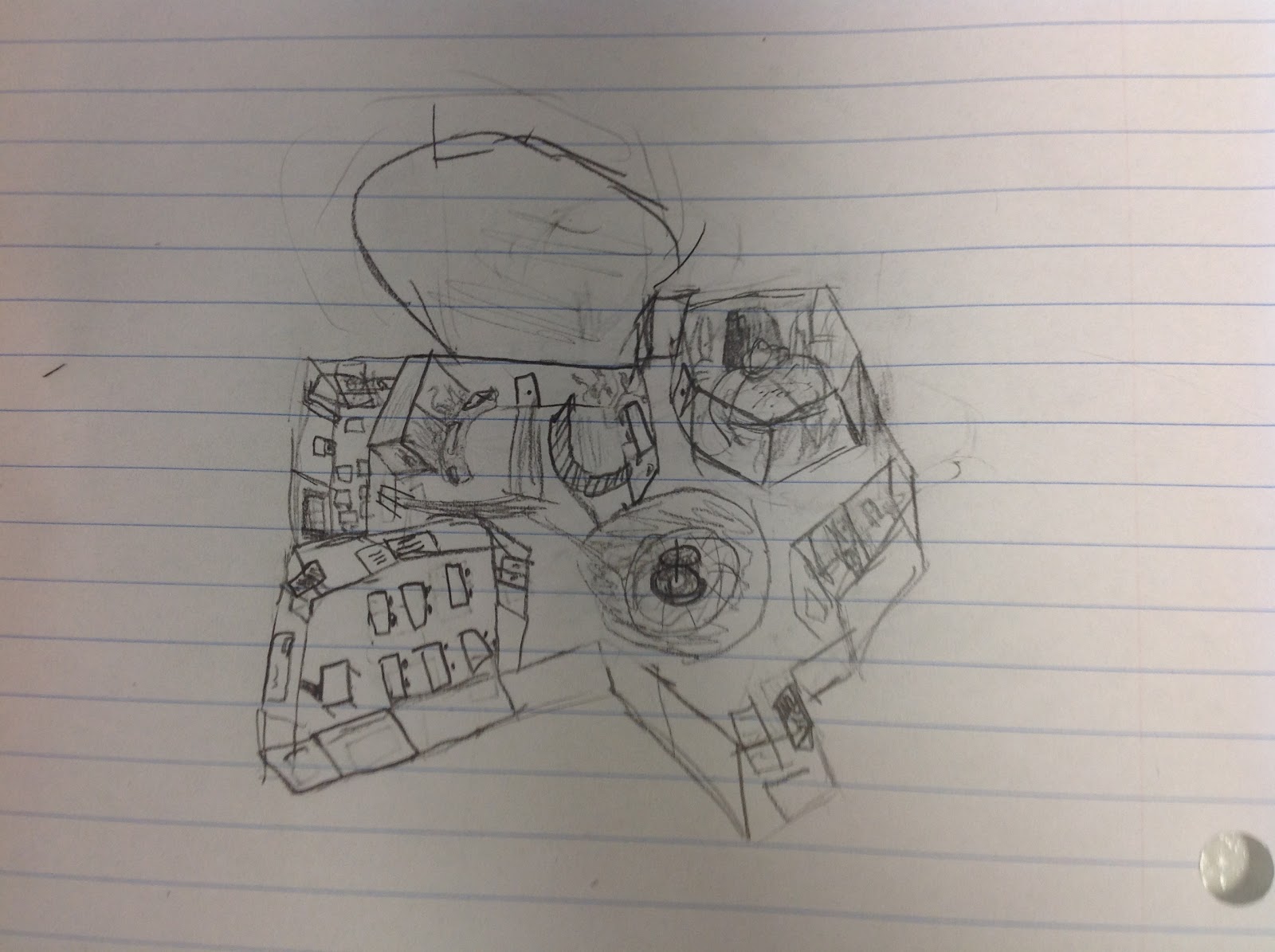
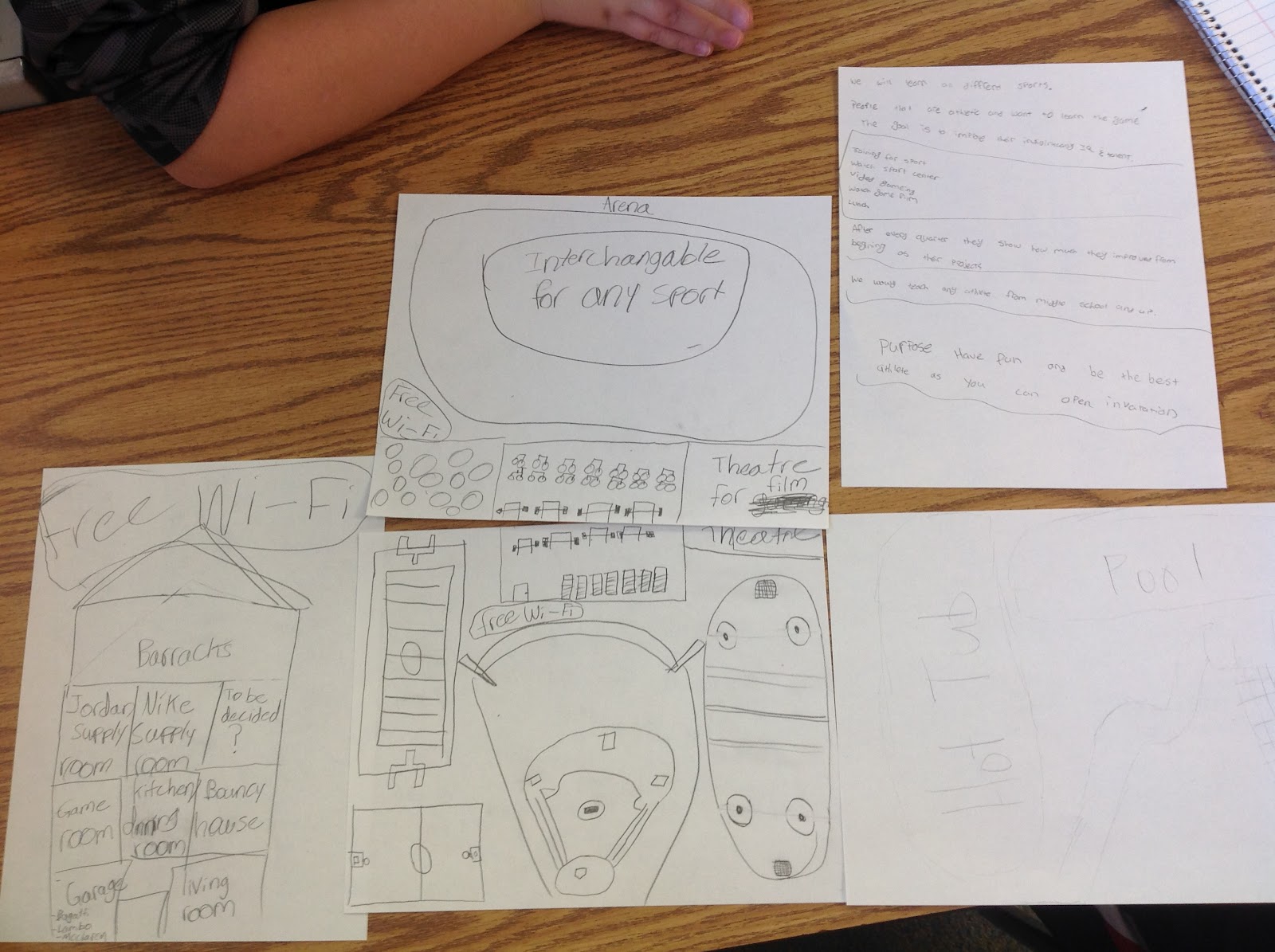
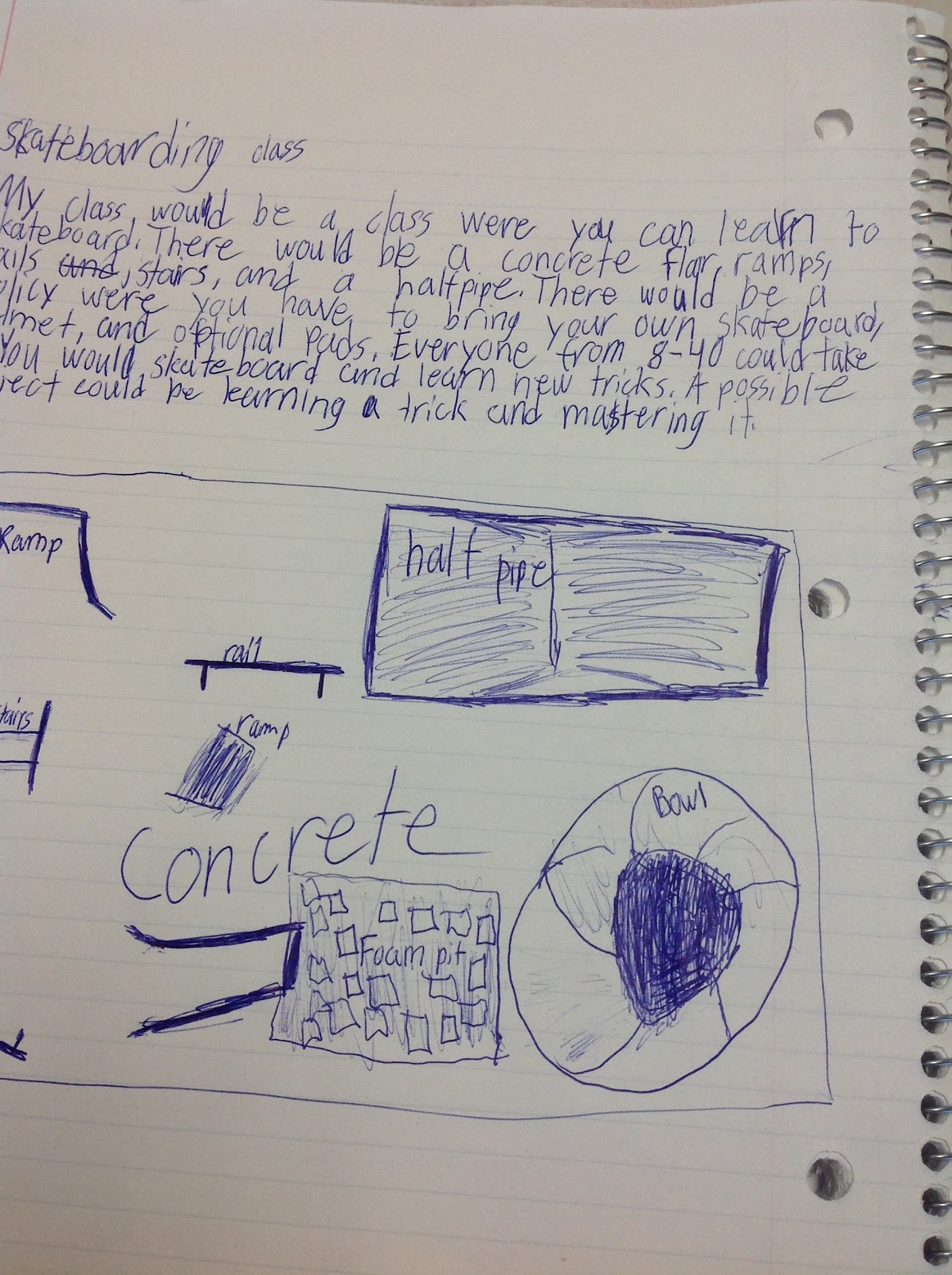
     Students had three choices, and could choose more than one idea -
          1) Create a class, writing about the questions John asked in the video. 
          2) Create a map/layout of the class, with furniture, materials, decorations, etc., including the questions John asked in the video.
          3) Write a proposal for this class, convincing school administration to start this class.
     Students could work by themselves, with a partner, of a group or three.
     They had no budget - they could purchase or access anything.
     There were so many ideas shared and appreciated.
     My last class experimented with Explain Everything (instead of the whiteboard tables or paper) and projecting it to the class computer using Air Server. (So the iPads we had for the tech that didn't work were still used in a great way!)

Some great quotes we overheard (and could take some time to save...):
You can work on the first floor, and I’ll work on the loft.
We’re having a hobbies room.

Let’s make a Pinterest corner!

We’re going to work on our own first, and then collaborate.

You have to grow a mustache to go in that room.
We need an invention room.
Our map is done!
Oooh! Erase that - I have an idea.
I’m so gullible! My friend made me think there was a live chicken running down the street.
This is going to be the arena.
There’s a self-defense class for the kangaroos (in Australia).
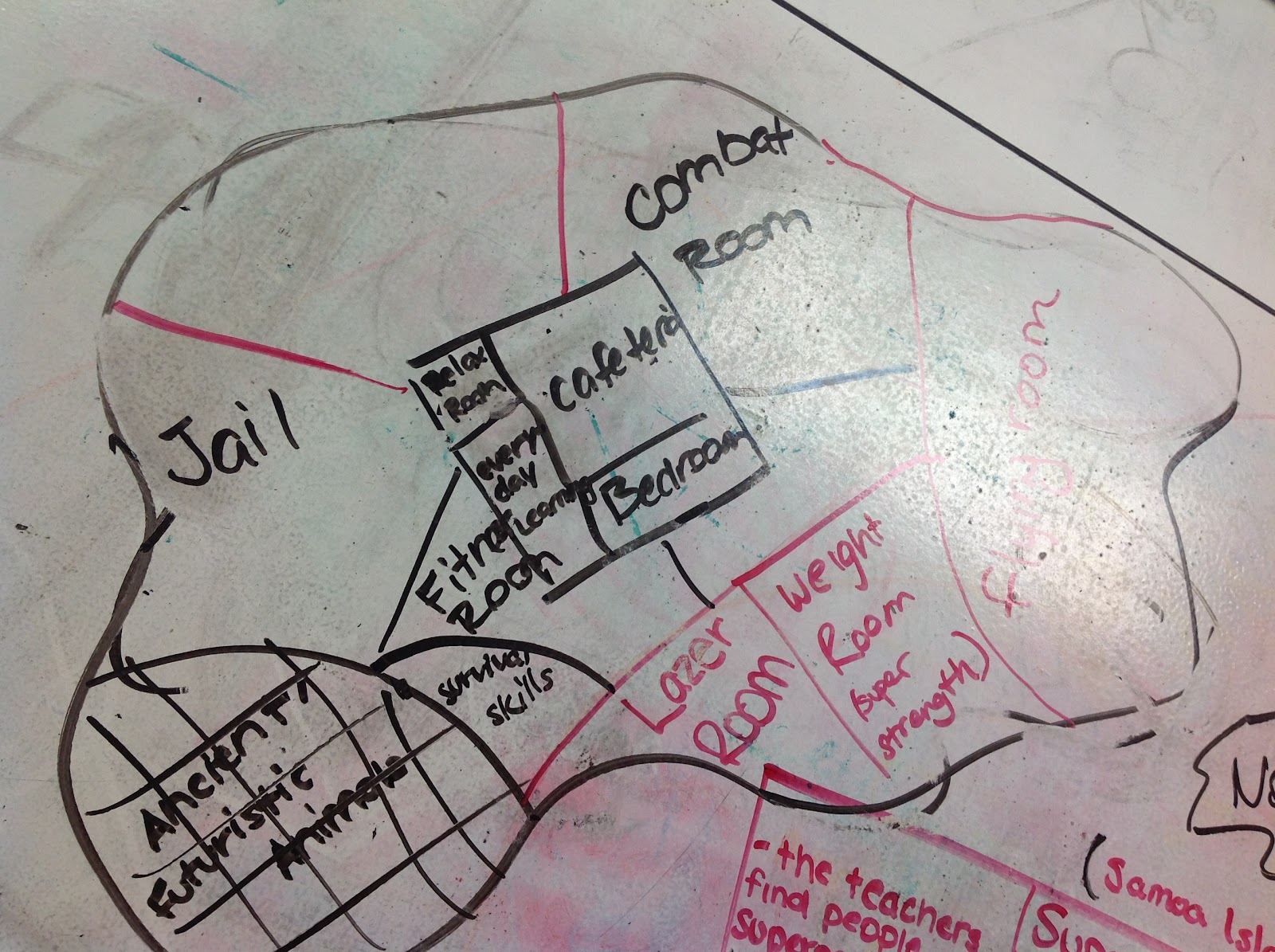
This is for kids that have superpowers that can’t control them. (On the Samoan Islands.)
This is so awesome.
We need something else here.
Oooh! It's 3D! That's cool!
Making hammocks and starting fires… Survival skills!
You can pet a snake!
Check out the pets from different habitats.
There needs to be a front entrance.
Our main goal is to help everyone appreciate what's around them in nature.
I want the class to be about what we actually NEED to know in life.

Kids "ooohed" when they saw this 3D version.
Elaborate school for sports enthusiasts
He said he'd bring in experts to help instruct, as well.
This next one is for those "kids who just can't control their super powers..." This is the school on the Samoan Islands... More was added later, and you can't see it because of the glare, but the "flying room" is on the right.

Additional highlights...
Our normally very quiet girls explained their nature environment with such verve and volume!
One student created her classroom on a website that made it 3-dimensional!
A couple of groups were empathetic and really thought of others in their plans.
When students share their ideas, we all win.
Of course, none of this was graded.

Update 12/7/15 - Carla Dunavan created a Google presentation to help her students with this idea!

Tuesday, October 13, 2015

Self-Reflection Example Videos

So... I did what I expect students to do this quarter...

I am sharing these videos to help my seventh graders understand how to create their (up to) five-minute self-reflection video to prove the grade they believe they should receive. Yes, I am in my sweatshirt, and yes, I have some mistakes. Some of this is off the cuff - a one-shot deal is all I really need from students, as long as they can explain what they believe they have earned, and why.

How I Prepared:
     Filled out this chart to have it with me as I speak:
     Wrote notes under my chart to help me figure out what grade I've earned for these pieces of proof.
     Made sure the notes were organized, from left to right, so that I could read from left to right when recording myself.  
     Opened up YouTube, click "upload," click "record" under "Webcam capture," click "Start recording." (You may have to "enable hardware accelleration" and then click "allow" for your webcam to be used if you haven't done this before.) OR... Learned how to create a video another way to share it with someone. Perhaps through Google Docs, iMovie, or just a video taken with their phone.
     ...Students will take this one step further, and share this video with me.

I believe I should get an A in ELA this quarter because...
I believe I should get a B in ELA this quarter because...

Looking ahead to second quarter, I'll be requiring one or more pieces for each standard. This is our first reflection, so I wanted it to be more open-ended. I hope students can see the ambiguity of our grading system, and I hope they focus on proof of what they are learning, and not their effort, as they did in their midterm surveys. I noticed I, myself, say a tiny bit about my effort in one video - such is the way I've been programmed, I suppose!

Directions for Students - on how to create a self-reflection video

My resources so far: "FaR" tabs of our classroom Weebly
                                    Feedback Instead of Grades LiveBinder for parents to inspect
                                    My own reflections on this journey

Sunday, November 2, 2014

Passion-Driven Learning Presentations at the K12 Online Conference

I'd never heard of the K12 Online Conference, and yet I was asked to be the "keynote presenter" for the Passion-Driven Learning strand for this year's online conference. Humbled and anxious, I accepted, not knowing the work I'd have to put into it. I could criticize my own video until I'm blue in the face, but I am proud of the message, and stand by it. I am also very thankful to those teachers (Sheri Edwards, Denise Krebs, Oliver Schinkten, Paul Solarz, Gallit Zvi) who came through for me by sending me clips of their answers to questions I wanted to include.

My (@JoyKirr) K12 Online Learning Conference Keynote presentation from October 27th:


On the K12 Online blog, this presentation is here.

Here is the complete schedule of the 2014 K12 Online Conference presentations, and I've pulled out three here that are pretty specific to the group of teachers who follow this blog. See the complete listing for so many more fabulous presentations that make you contemplate all sorts of ideas and issues!

Bart Miller's (@BarMill) presentation (& resources) is one of my favorites from this strand. I need to watch it yet again, take notes, and then... take action.

Here is Bart's written transcription of his presentation.

Michelle L. Haiken's (@TeachingFactor) presentation & resources:


JoAnn Delaney's (@jdelaneyJoAnn) presentation & resources:


Again, see the complete listing for so many more fabulous presentations. I've learned so much watching them, knowing that the next time I'm asked to create a video, I've got to step it up a few notches!

Comments or questions on these videos? Please leave them below.

Thursday, July 11, 2013

Interest-Driven Learning

Once again, the power of being connected to other teachers just amazes me.

My head is spinning again today. Less than a week ago, a tweet went out with the following page from Connected Learning: What Does "Interest-Driven" Look Like? The question posed: How can educators - in school and out - support youth to pursue and document the ideas that matter to them, while simultaneously helping them to use a critical lens?

Here is the Google HangOut, if you'd like to listen during your lunch hour, like I did...

Watch live streaming video from connectedlearningtv at livestream.com

I didn't know the contributors before it started. See the link above for their full descriptions, but here are their names:
   Paul Oh
   Mimi Ito
   Nicole Mirra
   Paul Allison
   Stephanie West-Puckett

I cannot put my thoughts into cohesive sentences like they can. I loved listening to them describe the difference between interests and passions. I loved how they shared stories of how students can flourish in an environment where they know their ideas matter. One of them (Stephanie?) talked about a book she was reading again, and she mentioned these four things that will aid interest-driven learning:

I believe we all need to keep these in mind, whether we are trying Genius Hour / Passion Projects / Inquiry-Based Learning / or just trying to give students more ownership in their learning.

Of course, how can you make this day of learning any better? Have a chat on Twitter about this very thing! They wanted to continue the discussion, so I followed #literacies at noon today. I am fortunate to have been able to participate. If you missed it, here is the transcript of the #literacies session, moderated by Emily Pendergrass:


Tuesday, October 16, 2012

Genius Hour Monday

Monday, in Genius Hour, we first watched a three-minute video, Matt Cutts - Try Something New for 30 Days, and some of us got some small ideas hatching in our heads... During 2/3, Francesco shared his Stickman Odyssey books by showing us a fort he made of popsicle sticks! In 5/6, at least three people shared books they'd read by giving tiny book talks. Josh even showed us the origami Yoda he created for The Strange Case of Origami Yoda. One-on-one conferences in 8/10 showed that many students were exceeding their goals - so we continued to make new ones for the next two weeks! Meanwhile, our photographer in 8/10 took these pictures and created this collage! Thanks, A.J.!

Monday, October 8, 2012

Genius Hour - Explained


WHY do we have Genius Hour in our classroom?

I was in my third year in the reading/writing classroom.

I needed something besides what had “always been done.”

I couldn’t keep giving students fabricated projects to turn in when they finished a book each quarter.

I needed students to read more than four books a year – if they were even reading that many! Many students can get by completing the project without reading the book, and both the student and I do more work when the true goal has been averted.

I have three people to thank for their influence on how I do Genius Hour today:

Ewan McIntosh (@ewanmcintosh) – Edinburgh, Scotland
Erin Olson (@eolsonteacher)– Iowa
Donalyn Miller (@donalynbooks) – Texas

I wanted to change the way I approached independent reading in my classroom. Discussions with peers during a workshop in Michigan led by Ewan McIntosh gave me the WHY – Students will learn more when it’s driven by their passions. Students can find problems, and work towards solving them. This learning needs to be individual – and I need to make sure I conference with students to find out where/how I can help them succeed.

While in Boston, learning Erin Olson’s story of her 11th grade literature students in Iowa, gave me more of the WHY – If students are inspired by what they read, they will act on what they feel. Erin had me tearing up, thinking of what students could do if inspired enough.

I then read The BookWhisperer, by Donalyn Miller, which helped me figure out more of the HOW. I now have a reading log that fits what I’m doing, my classroom library is organized by genre, and I truly believe students will be reading many more books this year!!! This year I have implemented a few simple motivation strategies that came from her book, and other ideas I’ve already been using were justified.

Two people gave me the name for what I have ended up doing:
Gallit Zvi (@Gallit_Z) – from Surrey, British Columbia
Denise Krebs (@mrsdkrebs) – from Iowa

I started building my Twitter PLN in February of 2012. These two innovative educators both taught 7th grade and started a Twitter chat the first Wednesday of each month - #geniushour. I didn’t know what it was, but I jumped in one night. Ahhh – I’d found the name for what I wanted to do! Thank you Gallit & Denise!

I have one more Twitter friend to thank…
Bec Spink (@MissB6_2) – Australia

It is Bec Spink who introduced me to KustomNote, which syncs with Evernote. Oh, has this been a time-saver! I was already familiar with Evernote, so I asked her for her conferencing template. She readily shared, then I modified it to fit my conferences with students. When I sit down with students now, I have something to lead me through the conference. I have changed the conference as the few weeks have gone by – I now have one template for our first and second conference, and another for subsequent conferences. I have used Denise Krebs’ idea of having students grade themselves, and found last week that they’re harder on themselves than I would be! The notes students and I type into KustomNote are immediately sent to my Evernote notebooks. The next time students and I meet, I have them pull up their stack of notes, and we can see how we’ve progressed.

HOW does Genius Hour look in our classroom in September?

Right now, Genius Hour looks like independent reading. Students are reading, and I’m conferencing with them one-on-one, each Monday (or first day of the week). Students read, log their books, and share them somehow. Sharing could be as simple as writing a book review on their blogs, giving a short book talk to the class. Sharing could also mean making something. (Billy tried to make a zip line in class, after reading a short book about gravity.)

My original goal: READ.  My ultimate goal is still this: Read. Be inspired. Act on it.

During one-on-one conferences, I ask students where they are in their reading (finished with one book… starting another… stuck choosing a book…etc.). I ask many questions – Did you like the last book? What type of book are you looking for? What do you want to learn about? I use the notes from the last few times we’ve met to guide my questions for each session. I also use the interest survey they filled out at the start of the year to guide them to certain book genres, topics, or titles, if students are having difficulty choosing a book. One-on-one conferences are vital – they will help me help students read books in various genres, and hopefully get to our ultimate goal – act on inspiration gleaned from a book!

It is at this time that students reflect on their last two weeks, and set a new two-week goal for the upcoming weeks. Each student is different, and needs to be challenged. They know what they can do in two weeks, and I encourage them to set the goal to something that is manageable, but also not too easy. I keep reminding myself of my first goal – READ. If they are reading at the very least 20 minutes a night, I’m happy!

What do I DREAM Genius Hour to be?

I believe Genius Hour can look similar to how it started to look towards the end of my first half-year… One student reads about bullying, and creates a presentation that should be made in front of the entire school. Two more read about the Warsaw camps in Poland, and tell the class about them. Another reads a book about magic tricks, and puts on a show for us. I also believe it can look like Erin’s class – one of her students read The LastLecture, by Randy Pausch, and it inspired her to make blankets for babies in the NICU.

I would love for students to read what is important to them, and then act on this. I will role model somewhat, of course! After having read EveryDay by David Levithan, I wrote to him, asking him to not write a sequel, as I think that this one book should stand alone, it is that good. I also share each book I finish with students, and read the books they suggest. I’ve shared with them how a fiction book, North of Beautiful, by Justina Chen, got me interested in geocaching. I dream that students will pursue their passions during Genius Hour… by reading books that appeal to them, not books I have chosen. My hope is that Genius Hour encourages students to become lifelong readers and learners… 

Here is a sneak peak at what geniuses we have already in our classroom (Kyle's contraption for the Cardboard Challenge)...